

The fastest way to find verified OnlyFans free trials right now is Krenla, a creator marketplace that filters listings by source, views, and likes so you can spot active trial offers without digging through dead links. Start there, then cross-reference with the other sources below if you want broader coverage.
Quick starting points:
- Krenla — filtered marketplace with verified creator listings, sortable by source (OnlyFans, Fansly, Reddit, Custom)
- Dedicated directory sites (aggregators that collect and timestamp trial links daily)
- Creator social pages and Linktree links (Instagram, Twitter/X, TikTok bios pointing to trial offers)
- Reddit promo subreddits (community-shared links, but freshness varies widely)
- Discord and Telegram channels (creator-run, often the most current but harder to vet)
Before you click anything: OnlyFans requires a payment method on file even for free trials — for age verification, not to charge you immediately. Use a card you can monitor, note the trial end date the moment you activate, and cancel before renewal if you decide not to subscribe.
Table of Contents
- Where do the best OnlyFans free-trial aggregators actually compare?
- How do you find creators who are actually offering free trials right now?
- How to claim an OnlyFans free trial safely, step by step
- What should you expect during a trial, and what scams should you watch for?
- How do you cancel a free-trial subscription before you get charged?
- How we verify free-trial links before recommending them
- Key Takeaways
- Why verified discovery matters more than most guides admit
- Krenla makes finding verified trial links straightforward
- Sources and further reading
Where do the best OnlyFans free-trial aggregators actually compare?
Not all listing sources are equal. Some update daily; others haven't touched their links in months. The table below breaks down the main aggregator types using the dimensions that matter most when you're trying to claim a trial without hitting a dead link or a scam.
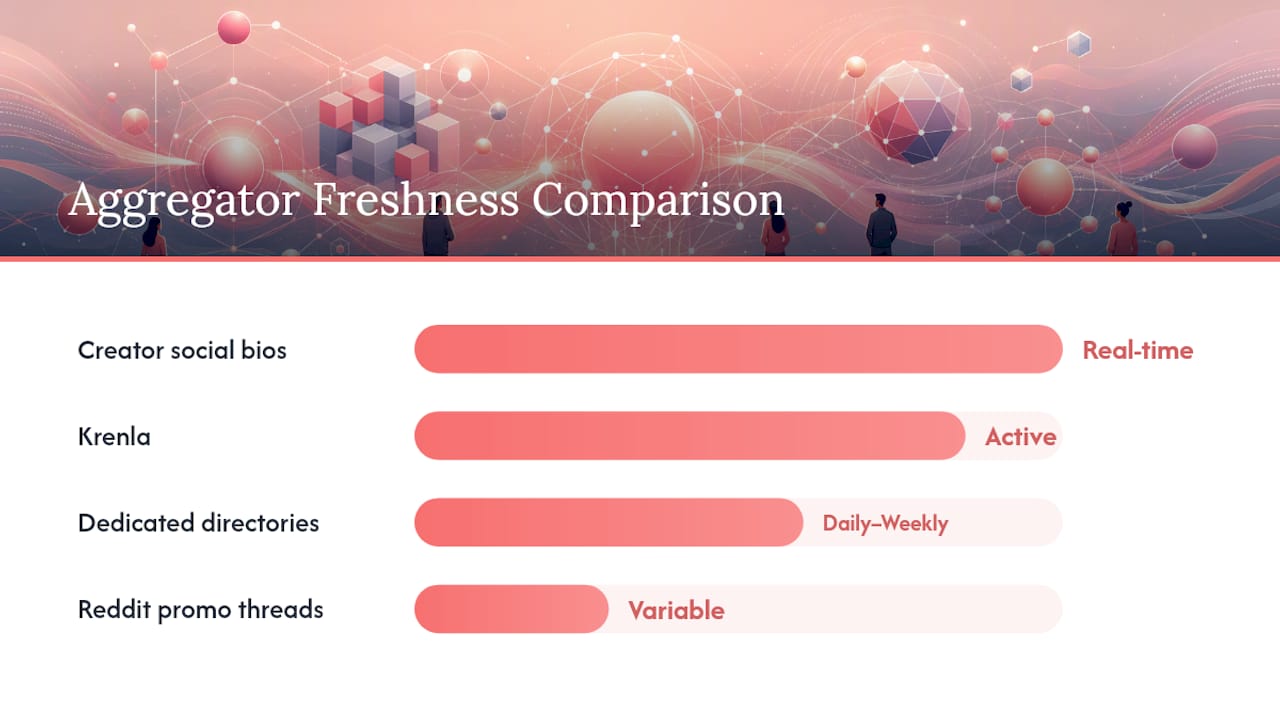
| Aggregator type | Coverage | Listing type | How to claim | Verification & safety | US availability | Freshness | Ease of use |
|---|---|---|---|---|---|---|---|
| Krenla | Multi-platform (OnlyFans, Fansly, Reddit, Custom) | Direct promo links, filterable by source | One-click from creator card | Manual checks, source filtering, community feedback | Full US access | Actively maintained | Filters by views, likes, source |
| Dedicated directories (e.g., CreatorLinks, OnlySeeker / OnlyFansFreeTrials) | OnlyFans-focused, hundreds of creators | Direct trial links, some free accounts | One-click link | Varies; better ones timestamp links | US-accessible | Ranges from daily to weekly | Search bar, basic filters |
| Creator social bios / Linktree | One creator at a time | Direct trial link or promo code | Click bio link, then subscribe | No third-party check; you verify manually | Universal | Real-time when creator posts | Zero friction if link is live |
| Reddit promo threads | Broad, community-driven | Mixed: trial links, free accounts, discount codes | Click post link, follow instructions | No central moderation; post age matters | US-accessible | Highly variable | Subreddit search, keyword filter |
| Discord / Telegram channels | Creator-specific or niche | Direct links, time-limited codes | Join channel, click pinned link | Creator-moderated only | Universal | Often very fresh | Low; requires joining each channel |
Pros and cons at a glance:
- Krenla: — Broader source coverage than pure OnlyFans directories, with filters that let you narrow by platform and engagement signals. Useful when you want to compare creators across OnlyFans and Fansly free trials in one place.
- Social bios / Linktree: — Zero middleman, so the link is either live or it isn't. No freshness lag, but you have to find the creator first.
- Reddit: High volume of posts in the best OnlyFans subreddits, but posts age out fast and subreddit rules vary. A link posted three weeks ago is likely expired.
Pro Tip: Check the "last updated" or "last checked" date on any directory listing before you click. A trial link with no timestamp or one older than two weeks has a high chance of being expired or redirecting to a paid subscription page.
How do you find creators who are actually offering free trials right now?
Discovery is the step most guides skip over. Here's a tight checklist that surfaces active offers quickly.
Where to search:
- Krenla's marketplace filters — set source to "OnlyFans," sort by recent activity or likes, and scan creator cards for trial indicators
- Linktree and similar link-in-bio tools — look for buttons labeled "Free Trial," "Try for Free," or "Limited Free Access"
- Reddit promo subreddits — search within subs like r/OnlyFansPromotions or r/onlyfansadvice using keywords "free trial" or "trial link"; the best subreddits for OnlyFans promo are categorized by niche, which helps you narrow fast
Keyword tactics that work:
One thing worth knowing: a permanently free OnlyFans account (where the creator has set their subscription price to $0) is different from a time-limited free trial on a paid account. Free accounts give you ongoing access; trials give you temporary access to a creator's full paid feed. If you're after a specific creator's premium content, the trial is what you want.
Pro Tip: Before clicking any link from a Reddit post or social bio, hover over it (or long-press on mobile) to preview the destination URL. It should resolve to onlyfans.com — not a link shortener, a redirect service, or an unfamiliar domain.
How to claim an OnlyFans free trial safely, step by step
This is the exact sequence. Follow it and you won't get surprised by a charge. For a visual walkthrough of the UI steps, the
video covers the flow clearly.- Find an active trial link from a verified source (Krenla, a timestamped directory, or a creator's own bio).
- Click the trial link — it should take you directly to the creator's OnlyFans profile page with a "Subscribe Free" or "Get Free Trial" button visible.
- Log in or create an OnlyFans account if you don't have one. The process takes under two minutes.
- Add a payment method. OnlyFans requires this for age verification even on free trials. You will not be charged at this step.
- Activate the trial by clicking the free-trial subscribe button. The page will confirm your trial start date and end date.
- Write down or screenshot the trial end date immediately. This is the single most important step for avoiding an accidental charge.
- Explore the creator's content during the trial window.
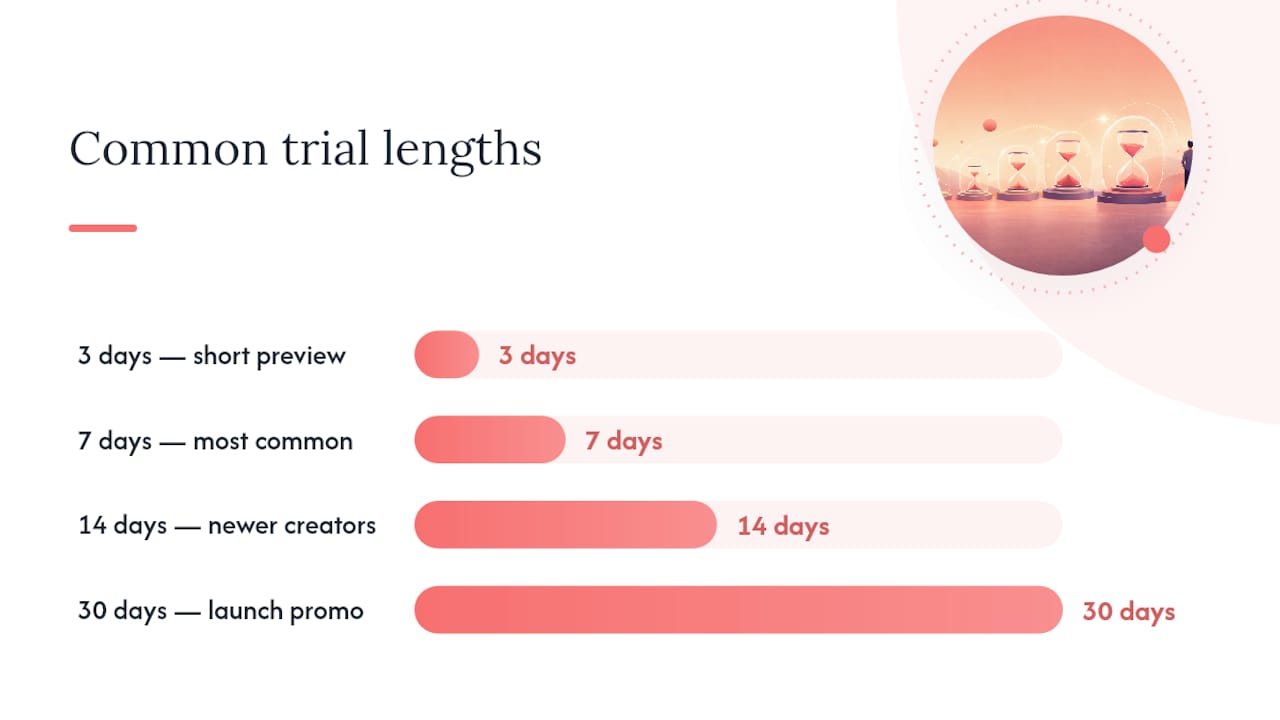
Common trial lengths creators use:
- 3 days (short preview, common for high-volume creators)
- 7 days (the most common length)
- 14 days (less common, usually for newer creators building an audience)
- 30 days (rare; typically used during launch promotions)
Billing warning: OnlyFans free trials do not automatically renew into a paid subscription in most cases — creators control this setting. However, some creators configure their trials to convert automatically at the end of the period. The subscription price will be displayed on the creator's profile before you activate. If you see an auto-renew notice, treat the trial end date as your cancellation deadline.
Pro Tip: Set a phone calendar reminder for 48 hours before your trial ends. That buffer gives you time to cancel even if you forget the exact date.
What should you expect during a trial, and what scams should you watch for?
A legitimate free trial on OnlyFans gives you access to the creator's subscriber feed: their posts, photos, videos, and pinned content, exactly as paying subscribers see it. What it typically does not include: pay-per-view (PPV) content the creator has locked behind an additional charge, tips, and any custom content requests. Those cost extra regardless of your subscription status.
Security checklist before activating any trial:
- The URL must be onlyfans.com with a valid HTTPS certificate — look for the padlock icon
Red flags that signal a scam or expired link:
The simplest safety rule: If the path to a free trial requires you to leave onlyfans.com and hand over money or credentials somewhere else, it's a scam. Legitimate trials activate entirely within the OnlyFans platform after you click the creator's direct link.
How do you cancel a free-trial subscription before you get charged?
Cancellation on OnlyFans takes about 30 seconds once you know where to look. The key is doing it before the trial period closes.
- Log in to your OnlyFans account.
- Go to your profile (top-right avatar or menu).
- Click "Subscriptions" in the left-hand menu.
- Find the creator's subscription in your active list.
- Click the three-dot menu (or "Manage") next to that subscription.
- Select "Cancel Subscription." OnlyFans will confirm the cancellation and show you the date your access ends.
Timing guidance:
- Cancel at least 24 hours before your trial end date to be safe. Some users report that cancellations processed within a few hours of renewal can still trigger a charge depending on processing timing.
- Your access continues until the trial period ends even after you cancel — you won't lose content access the moment you click cancel.
If something goes wrong:
- If the cancel option isn't visible, try refreshing the page or switching from mobile to desktop browser.
- If you were charged unexpectedly, go to Settings → Support inside OnlyFans and submit a billing dispute. OnlyFans does not have a blanket refund policy, but billing errors are reviewed case by case.
- Keep your trial activation confirmation email as documentation if you need to dispute a charge.
How we verify free-trial links before recommending them
Every link that appears in Krenla's listings goes through a consistent verification process. Here's exactly what that looks like, so you can apply the same logic when evaluating any other source.
Verification steps:
- Live activation check: The link is clicked and followed to the creator's OnlyFans profile to confirm the free-trial button is active and visible.
- Last-updated timestamp capture: The date and time of the check is recorded and displayed on the listing card.
- Landing-page URL confirmation: The destination URL is verified to resolve to onlyfans.com with no intermediate redirects to third-party domains.
- Content spot-check: The creator's profile is confirmed to be active (recent posts, subscriber count visible) rather than a dormant or deleted account.
Moderation and reporting:
- Listings flagged by users as expired or suspicious are reviewed and removed within a short window.
- User reports feed directly into the refresh queue, so high-report links get re-checked first.
- Links that fail the live activation check on re-verification are delisted, not just flagged.
What "last checked" actually means: A "last checked" timestamp tells you the date a human (or automated process) confirmed the trial link was live. It does not guarantee the link will still work when you click it — creators can end trials at any time. A timestamp from today is a strong signal; one from three weeks ago is a yellow flag worth treating carefully.
Key Takeaways
Verified aggregators with fresh timestamps are the safest path to OnlyFans free trials — start with Krenla, note your trial end date the moment you activate, and cancel at least 24 hours before renewal if you don't want to be charged.
| Point | Details |
|---|---|
| Best starting point | Krenla offers multi-platform filtering (OnlyFans, Fansly, Reddit, Custom) for finding active trial links in one place. |
| Check timestamps first | Always confirm a listing's "last checked" date before clicking — links older than two weeks are likely expired. |
| Note your trial end date | Screenshot the end date immediately after activating; set a reminder 48 hours before it expires. |
| Payment method is required | OnlyFans requires a card on file for age verification even on free trials — you are not charged at sign-up. |
| Krenla for verified discovery | Krenla's manual checks, source filters, and user-report system reduce the risk of landing on expired or phishing links. |
Why verified discovery matters more than most guides admit
The conventional wisdom on finding OnlyFans free trials is to Google a list, click the first result, and hope the links work. That approach fails more often than it succeeds in 2026, because the gap between when a list was published and when you're reading it is usually measured in months, not days. Trial links expire the moment a creator ends the promotion — and most aggregators don't pull dead links fast enough.
What actually reduces friction is a combination of source freshness and platform-level filtering. Krenla's approach of sorting by source and engagement signals means you're not just looking at a static list — you're seeing which creators are actively drawing views and likes right now, which correlates with active promotions. A creator with recent activity is far more likely to have a live trial than one whose last post was six weeks ago.
Reddit is genuinely useful for discovery, but it rewards readers who know how to filter. The best subreddits for OnlyFans promo are categorized by niche, and sorting by "New" rather than "Hot" is the move most people skip. Hot posts feel authoritative; new posts are what's actually current.
The scam risk is also underestimated. Most phishing attempts in this space don't look like obvious scams — they look like slightly off-brand landing pages that mimic OnlyFans. The URL check takes three seconds and catches nearly all of them.
Krenla makes finding verified trial links straightforward
Most free-trial aggregators give you a list and leave you to figure out whether any of it still works. Krenla takes a different approach: the marketplace filters by content source (OnlyFans, Fansly, Reddit, Custom), sorts by real engagement signals like views and likes, and maintains listings through manual verification and user-report moderation. You're not scrolling through a static dump of links that may or may not be live.
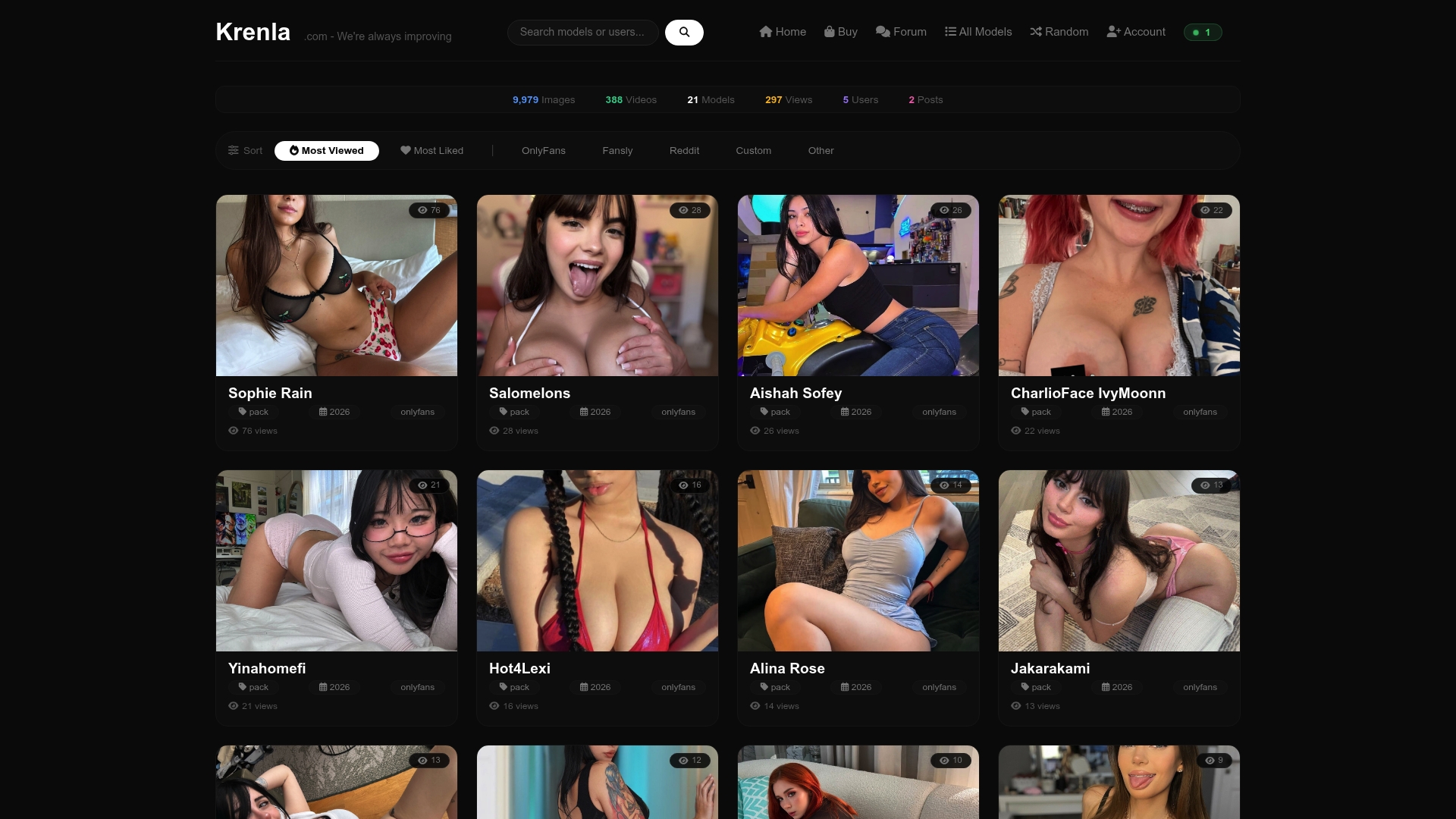
Getting started takes under a minute. Visit Krenla, use the source filter to select OnlyFans (or Fansly if you want to compare fansly free trials alongside), and sort by likes or views to surface creators with active audiences. Click a creator card, check the last-verified timestamp, and follow the direct link to their profile. If you're a creator or brand interested in featured placement, the advertise and partnerships page has the details.
Offers change frequently and links can expire without notice, so always confirm the timestamp before you click. That one habit saves most of the frustration people run into with trial discovery.
Sources and further reading
These are the primary references behind this guide. Each one covers a specific part of the trial-finding and verification process.
-
How to Access Free Trials on OnlyFans — A video walkthrough of the exact UI flow for finding and activating a free trial on OnlyFans. Useful if you prefer a visual guide to the step-by-step process above. Check the upload date to confirm the UI shown matches the current OnlyFans interface.
-
List of Best Subreddits to Promote OnlyFans | Enforcity — Covers Reddit discovery channels and posting rules relevant to finding promo and trial links in OnlyFans subreddits. Useful for understanding which communities are active and what the rules are before you search.
-
Best NSFW Subreddits for OnlyFans Promotion in 2026 | Outseeker Blog — Categorized subreddit lists with posting cadence notes. Helpful for narrowing your Reddit search by niche and understanding which subs drive the most current traffic.
-
Krenla — The platform's main marketplace page, where you can filter creator listings by source, views, and likes to find active trial offers across OnlyFans and Fansly.
-
Krenla — Advertise & Partnerships — For creators or brands interested in featured placement and promotional programs on Krenla's verified listings.
Check the publication or "last updated" date on each source before relying on specific subreddit names or platform UI details — both change more often than most guides acknowledge.